Flickr
- 3.3
- Rating
- 1.00M
- Installs
- Free
- Price

 Analysis by App-foxy
I approached Flickr as a first-time user would: looking for a practical place to bring photos together, sort them into a clearer collection, make modest adjustments, and share them without turning the process into a technical project. It is a photography app from Flickr, Inc., available free of charge, with optional in-app purchases ranging from $9.99 to $82.00 per item. The app is rated for Mature 17+ users, so it is worth checking that point before handing it to a younger photographer.
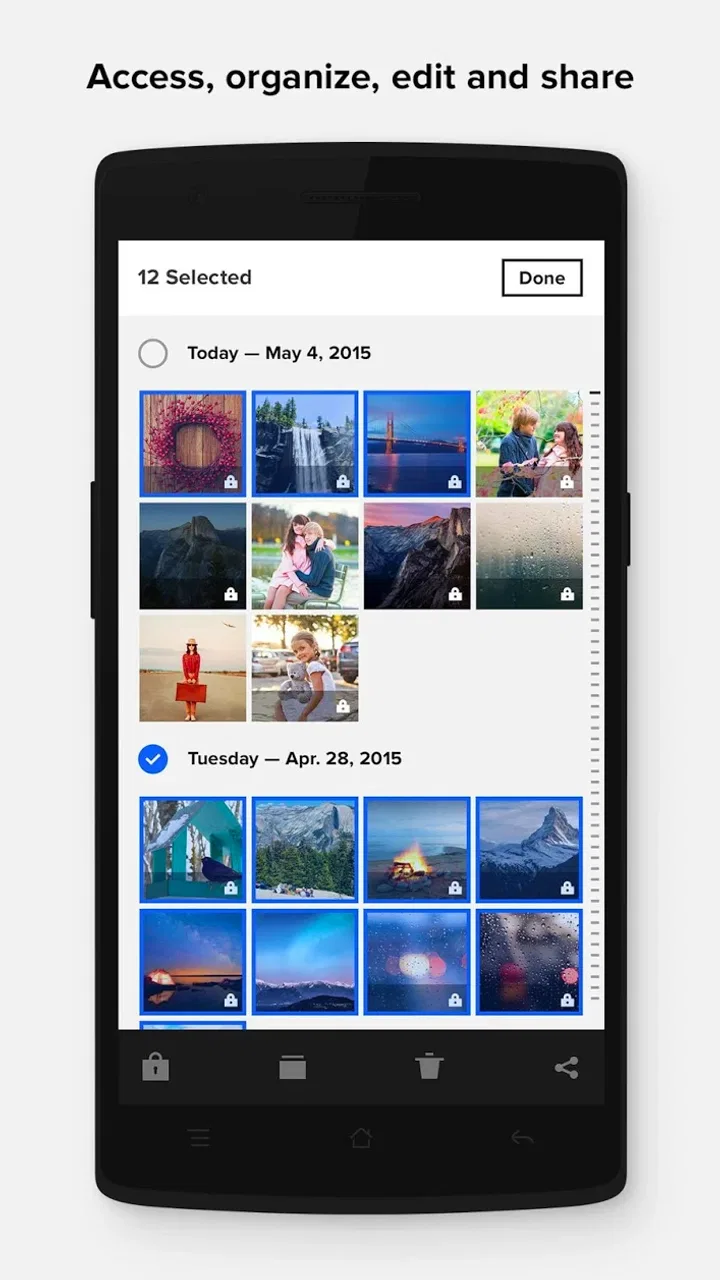
My first impression is that this is less about taking a quick picture and more about giving an existing photo library a social home. That difference matters. If I only want instant filters for a selfie, I would look elsewhere. If I want to gather travel shots, family images, creative experiments, or a long-running personal collection in one place, the idea becomes much more useful. The store summary focuses on uploading, organizing, editing, and sharing from anywhere, and that combination accurately describes the role I would give it on my phone.
What to expect from the mobile Flickr experience
The app sits in the photography category, but I would not judge it by the same standard as a dedicated camera replacement. Its value is in the workflow around images: getting them into a collection, deciding how they should be grouped, and choosing what to show other people. That makes it a better companion for photographers who already capture images with their phone or another camera than for someone searching for manual exposure controls.
You May Also Like

 Blood Strike: 2.5 Anniversary
Blood Strike’s Loadouts Turn Every Drop Into a Tactical Gamble
A close look at Blood Strike’s custom loadouts: how fast access to signature weapons reshapes its battle royale rhythm, rewards preparation, and narrows the gap between fights.

 Pandora - Music & Podcasts
Pandora’s Music Is Easy to Start, but Harder to Recover
Pandora’s strength is its low-effort path from a seed to a station. Its weak spot is how much confidence it asks you to place in connection, setup, and quiet recovery.

 8 Ball Pool
 Is Built on Rivalries, Rematches, and Routine
A close look at the rivalries, rematches, shared routines, and unanswered safety questions that turn a quick pool match into a persistent mobile community.

 Samsung Music
’s Quiet Strength Is Playing What You Already Own
Its reach comes less from spectacle than from dependable access to a personal library. That simplicity is both the app’s strongest retention engine and its ceiling.

 AccuWeather: Weather Radar
AccuWeather Review: A Quick, Clear Forecast for Everyday Decisions
For everyday plans, the best forecast is the one you can understand quickly. AccuWeather makes rain timing, radar, and local conditions easy to act on, with a few trade-offs.

 Hill Climb Racing
Why Hill Climb Racing Still Turns Crashes Into One More Run
A tiny car, a bumpy hill and one more upgrade: Hill Climb Racing keeps resurfacing because its simple chaos makes every near-miss feel personal.
More From Our News Desk



There is also a useful distinction between using it as a private photo shelf and using it as a public-facing portfolio. I can imagine opening it after a weekend away, selecting the strongest pictures, giving them a sensible home, and then sharing a small set rather than dumping every shot online. That extra step encourages editing decisions. It is easy to underestimate how much better a collection feels when it contains only the images that deserve attention.
The audience around the service is substantial: the app has passed 1 million installs, while its average rating is 3.3 from around 34K ratings and about 2.4K written reviews. I read that combination as a reason to keep expectations realistic. Flickr clearly has an established audience, but the middle-of-the-road rating suggests that the experience will not feel equally smooth for everyone. In my view, the app rewards patience with organization more than it rewards people who expect a completely effortless social feed.
The current Android release is version 5.0.2 and supports Android 7.0 or later. That makes checking compatibility an easy first step before planning a photo migration. I would also make sure the phone has enough local space and a dependable connection before sending a large batch of images. Those are not glamorous preparations, but they prevent the first session from becoming a frustrating wait.
Who will get the most from it
I think Flickr is a good fit for someone who wants a recognizable place for photography rather than another general-purpose social network. A hobbyist can use it to keep a themed body of work together. A traveler can separate city walks, landscapes, and portraits into distinct collections. A parent can share selected family moments while keeping the presentation more deliberate than a stream of chat attachments.
It can also suit a photographer who works across devices. The phone becomes the convenient point for uploading and checking a collection, while the larger idea is an organized library that is not trapped in the camera roll. I particularly like that mental model for people who take many similar pictures. Instead of repeatedly scrolling through hundreds of thumbnails, I can make a first selection, group related images, and return later with a clearer purpose.
I would skip it if my main goal is advanced editing, fast automatic enhancement, or a camera app with deep controls. I would also hesitate if I dislike the idea of learning another system for albums, visibility, and sharing. A basic gallery app may be quicker for purely local storage, while a cloud photo service built around automatic backup may be more convenient for someone who never wants to curate manually. Flickr makes more sense when the act of arranging and presenting photos is part of the goal.
Getting started without losing the thread
I would make the first session a small, low-stakes test: choose one set of photos you already know well, then check how the steps of selecting and arranging it feel on your phone. That gives me a clearer sense of whether Flickr suits my habits before I commit more of my library to it. From there, I’d pay close attention to the choices I make around visibility and sharing.
The first setup I recommend
After installing the app, I would begin with a small, meaningful group instead of importing everything immediately. Ten to twenty related images from one outing are enough to learn the basic rhythm: choose, upload, organize, inspect, and share. Starting small makes it easier to notice where the controls are and helps avoid the common mistake of creating a huge, confusing first batch.
I would also decide what the first collection is meant to achieve. “Summer photos” is a broad label that may become unhelpful later. “Morning markets in Lisbon” or “Black-and-white street practice” gives the group a clearer identity and makes future browsing more satisfying. This is one of the less obvious strengths of a photography-centered service: naming and grouping images forces me to think about why I kept them.
Before uploading, I would review the selected images for duplicates, accidental screenshots, and near-identical frames. This small cleanup is more important than it sounds. A collection with fewer, stronger photographs is easier to browse and more pleasant to share. It also reduces the chance that a friend has to wade through every failed composition to find the one image I actually meant to show.
The free entry point makes experimentation straightforward, but I would treat optional purchases as a separate decision rather than something to solve during setup. First I would confirm that the app fits my routine. If I am only testing whether I enjoy the organizational and sharing workflow, there is no reason to rush into a paid commitment. The app is free to download and use as an initial trial, with purchases presented within the experience.
Your first meaningful success
For me, the first successful action would be completing one small, coherent set rather than merely uploading a single picture. I would choose a handful of images from the same event, upload them, place them together, and then open the finished group as if I were a visitor. That final check reveals whether the order feels natural and whether the collection tells a simple story.
A practical everyday example would be a family day at the beach. I might select an establishing shot, a few candid moments, and one closing image rather than every photograph from the afternoon. After uploading, I would remove weak duplicates, arrange the set so it moves from place to people to detail, and share only that finished selection. The result is more useful than sending a crowded folder through a messaging app, because the recipient sees a considered memory instead of an unfinished camera roll.
For a solo photographer, the same process can work as a review tool. I can upload a group from one walk, compare similar compositions, and identify which images still hold my attention after the excitement of taking them has passed. That delay creates a little distance, and distance often improves editing judgment. The app is not replacing a professional desktop workflow, but it can make the first round of selection easier to do anywhere.
One tip I would give a new user is to separate “storage” from “presentation” in your thinking. An image can belong in your wider archive without belonging in a public set. If I treat every upload as something that must be shown, I become less willing to save interesting experiments. If I treat every upload as finished work, the collection loses focus. Keeping those purposes distinct leads to better decisions about what to group and what to share.
Editing: useful when kept modest
The editing side is most useful for finishing a photograph, not rescuing a fundamentally poor one. I would use it after selecting the image, not before. First I decide whether the picture deserves a place in the collection; only then do I spend time improving its appearance. That order prevents me from polishing a frame that I will later discard.
My approach would be conservative: make an adjustment, look away for a moment, and compare the result with the original before continuing. Mobile editing encourages quick changes because the controls are close at hand, but a heavy-handed result can make an otherwise natural photo feel artificial. For a group of related images, consistency matters more than making every individual frame dramatic.
The trade-off is convenience versus control. A phone-based editor is handy when I am away from a computer, especially for a quick crop or a final touch before sharing. It is not the environment I would choose for detailed color work, precise retouching, or a large professional assignment. I would still keep a higher-quality original elsewhere when the image matters, then use the mobile version for selection and presentation.
Common points of confusion
The first likely confusion is assuming that uploading, organizing, editing, and sharing are one automatic action. I found it more helpful to treat them as four separate decisions. Uploading moves the image into the service, organizing gives it context, editing changes its presentation, and sharing determines who sees the result. Keeping those stages mentally separate makes the interface easier to understand.
Another source of hesitation is the difference between a photo and a collection. A single attractive image can stand on its own, but a collection is where the app becomes more distinctive. If I only post isolated pictures, I may not notice the benefit of the organizational tools. When I group images by project, place, or visual idea, browsing becomes more intentional and the service feels less like a simple backup drawer.
I would also avoid assuming that every image should be public simply because sharing is available. A sensible first habit is to prepare the group, review it from the outside, and share only after checking that the selection contains nothing unintended. This is especially important with family pictures, work-related material, or images that include other people. A few seconds of review can prevent an awkward overshare.
Some users may wonder whether the app is suitable for a complete photo backup. I would not make that assumption without first understanding my own backup needs. A curated photography service and a full device backup solve different problems. I would keep important originals in a separate, dependable location and use Flickr for the photos I want to organize, revisit, or present. That approach protects against treating a social photo library as the only copy of something irreplaceable.
Performance expectations deserve similar care. Large uploads can feel slow when the connection is weak, and a big first import is harder to troubleshoot than a small test. My recommendation is to begin with a controlled batch, confirm that the images appear as intended, and then expand gradually. This workflow also makes it easier to spot whether a particular folder or selection needs cleanup before it grows.
How it compares with familiar alternatives
Compared with a standard phone gallery, Flickr asks more of me but gives the photos a stronger sense of place. A gallery is usually fastest for finding recent images and making quick local edits. Flickr is more appealing when I want a collection that can be revisited, arranged, and shared as photography rather than merely as files.
Compared with a general social network, it keeps the focus closer to the images themselves. That can be refreshing for someone who wants to discuss or display photography without competing with unrelated updates. The cost is that I may need to put more thought into organizing the material and understanding the service’s own rhythm instead of relying on a familiar feed.
Compared with a cloud backup tool, Flickr feels more curated and expressive. Backup services are often better when the priority is automatic protection of everything on a device. Flickr is a better match when I want to choose what enters a collection and how that collection is experienced. Neither approach is automatically superior; the right choice depends on whether safety or presentation comes first.
Compared with a dedicated editing app, Flickr is less attractive for intensive image work. A specialized editor normally wins when I need layers, detailed corrections, or repeatable professional adjustments. Flickr wins when editing is one step inside a wider path from selected image to organized set to shared result. That distinction is the clearest way to decide whether it belongs on my phone.
Where I would take the workflow next
Once the first collection works, I would create a repeatable habit rather than uploading at random. After each outing, I might make a temporary selection, leave it alone briefly, then return to choose the final images. This two-pass method reduces impulse uploads and gives the collection a more consistent voice. It is a simple practice, but it turns the app from a storage destination into a lightweight editing routine.
I would also use descriptive grouping to make future discoveries easier. Instead of relying only on when a photo was taken, I would think in terms of subject, project, location, or technique. A collection built around reflections, night scenes, or architectural details can reveal patterns in my own photography that a chronological camera roll hides. That is a concrete benefit for anyone trying to improve, because reviewing themes makes repeated habits easier to notice.
For sharing, I would favor smaller sets with a clear reason for existing. A friend is more likely to engage with a focused group from one walk than with a long stream of unrelated uploads. The same principle applies to a portfolio: a narrow selection can communicate taste more effectively than a complete record of every experiment. Flickr gives me a place to make that choice, but it does not make the choice for me.
I would keep an eye on the point where the free experience stops matching my needs before considering an in-app purchase. The available purchase range is broad enough that I would read the exact offer carefully and decide based on my actual workflow, not on the assumption that paying will automatically improve every part of it. If I only need occasional sharing, staying with the free starting point may be perfectly reasonable. If I become a frequent uploader and the service earns a regular role in my photography, then a paid option may deserve consideration.
My overall view is positive, with a clear condition: Flickr is best when I want to curate photographs, not simply store them or apply instant effects. The first session becomes reassuring once I start with a small set, give it a specific purpose, and treat uploading, editing, organizing, and sharing as separate steps. The most rewarding result is not the upload itself, but the moment a scattered group of pictures becomes a collection I would genuinely want to revisit.
I would recommend it to hobbyists, travelers, and thoughtful photo sharers who enjoy giving images context. I would point heavy editors toward a dedicated editing tool and people seeking automatic whole-device protection toward a backup-focused alternative. For everyone in between, the free app from Flickr, Inc. is worth trying with one real project rather than judging it from a single upload. Its 5.0.2 release supports Android 7.0 and later, and that makes the practical first step simple: install it, choose one meaningful group, and see whether organizing your photos feels like a benefit rather than another chore.
FAQs for Flickr
01What is Flickr and what can I use it for?
Flickr is an online photo and video hosting platform designed for storing, organizing, sharing, and discovering visual content. After installing the app, you can upload images from your device, create albums, follow photographers, join interest-based groups, and interact with the community. It is useful for casual sharing, photography portfolios, travel memories, and browsing creative work from people around the world.
02Is Flickr free to download and use?
The Flickr app is free to download, and users can create an account without paying. However, the free experience may include limits on storage, uploads, or certain account features, depending on Flickr’s current membership policy. Pro subscriptions provide additional benefits, such as expanded storage, advanced statistics, and a more complete photography experience. Always check the latest pricing and limitations before subscribing.
03Can I back up all my photos automatically with Flickr?
Flickr can help you upload and organize photos, but it should not automatically be treated as your only backup solution. Depending on the app version and your settings, you may be able to enable automatic uploads from your device, although this can use mobile data, battery, and storage temporarily. Review upload preferences carefully and keep another backup of important original files.
04Can I share photos publicly or keep them private on Flickr?
Yes, Flickr provides privacy and visibility controls for uploaded photos and videos. You can generally choose whether content is public, visible only to you, or shared with selected people, depending on the available settings. Before publishing, check the audience for each upload because public photos may be viewed, commented on, or added to favorites by other members of the Flickr community.
05Does Flickr work well for professional photographers?
Flickr can be a useful platform for professional and enthusiast photographers because it combines portfolio presentation, community interaction, groups, albums, and image discovery. It may help you gain exposure and receive feedback, but it is not a complete replacement for a personal portfolio website or client-delivery service. Professionals should also review licensing, copyright, privacy, and image-resolution settings before uploading work.
Pros
- Excellent photo discovery through communities
- groups
- and curated feeds.
- Strong support for full-resolution photo uploads and detailed metadata.
- Useful albums and collections for organizing large personal libraries.
- Active photography community encourages feedback and creative inspiration.
- Available on both Android and iOS with a consistent core experience.
Cons
- Free accounts have limited uploads and may require careful storage management.
- Some advanced features are locked behind a Flickr Pro subscription.
- The interface can feel crowded for users who only want basic photo storage.
- Search results may vary in quality depending on tags and community activity.
- Privacy settings require attention when sharing photos in public groups.

Flickr
Gallery